
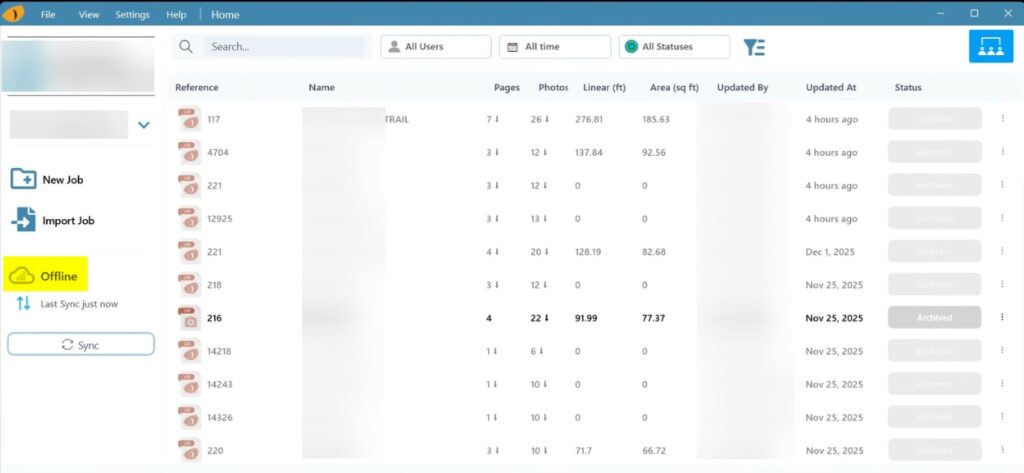
Description
When LT3Raptor is used while connected to the internet through a VPN, the application may display an Offline status even though the device has an active internet connection.
Cause 1: Required Domains Are Blocked by the VPN
Some VPN configurations restrict outbound traffic to only approved domains using an Access Control List (ACL), allow list, or similar mechanism. If LT3Raptor domains are not included, the application cannot communicate with LPI Cloud services and will appear offline.
Resolution 1: Add Required Domains to the VPN Allow List
Ensure the following domains are added to your VPN’s ACL or allow list according to your VPN provider’s configuration process:
- https://lpicloud.com
- https://api.lpicloud.com
- https://templator.com
- https://api.templator.com
Cause 2: VPN Enforcing Loopback Protection
Certain VPNs apply strict network-isolation or loopback-protection rules. In these cases, LT3Raptor, being a Windows UWP (Universal Windows Platform) application, may be blocked from sending or receiving local loopback traffic required for normal operation.
Resolution 2: Add a Loopback Exemption
A loopback exemption may be required in environments where VPN isolation disrupts UWP traffic flow.
- Right-click

- Click Terminal (administrator)
- Copy/paste the following command and click Enter
- Right-click

- Click PowerShell (administrator)
- Copy/paste the following command and click Enter
checknetisolation loopbackexempt -a -n=c9769af5-82f6-477d-bba2-6c296de89f6c_9pbmgk3ye29w4